How to Protect Your Online Privacy in 2026: 10 Simple Steps
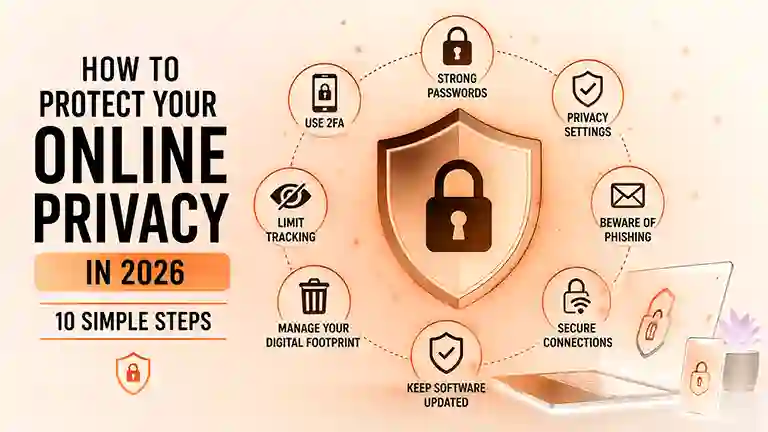
The internet is now part of almost every aspect of daily life. We use it to communicate, shop, work, study, manage finances, and store personal information.
But as more of our lives move online, protecting personal information has become more important than ever.
Your name, email address, location, browsing activity, photos, and even your online habits can reveal a lot about you. Fortunately, improving your online privacy does not have to be complicated.
In this guide, we’ll cover 10 simple ways to protect your online privacy in 2026 and reduce the amount of personal information that can be exposed online.
10 Cybersecurity Tips Everyone Should Know in 2026
Why Is Online Privacy Important?
Online privacy is about controlling how your personal information is collected, shared, and used.
Many websites and apps collect information about users. Some of this information is necessary for their services, while other data may be used for advertising, analytics, personalization, or other purposes.
Good privacy habits can help you:
- Reduce unnecessary data collection
- Protect personal information
- Avoid unwanted tracking
- Reduce the risk of identity theft
- Keep your online accounts safer
- Have more control over your digital life
You do not need to stop using the internet to improve your privacy. Small changes can make a significant difference.
1. Use Strong and Unique Passwords
One of the easiest ways to improve your online privacy is to use strong passwords.
Avoid using the same password for multiple accounts. If one account is compromised, attackers may try the same password on your other accounts.
A strong password should be:
- Long
- Unique
- Difficult to guess
- Different for every important account
A password manager can also help you create and store unique passwords without having to remember all of them.
2. Enable Two-Factor Authentication
Two-factor authentication, often called 2FA, adds another layer of protection to your accounts.
Instead of relying only on your password, 2FA requires another verification method, such as an authentication app or security key.
Even if someone discovers your password, they may still be unable to access your account without the second authentication factor.
Enable 2FA on important accounts such as:
- Banking
- Social media
- Cloud storage
- Work accounts
3. Review Your Privacy Settings
Many apps and websites provide privacy settings that control what information they can access.
Take a few minutes to review these settings regularly.
Check whether an app really needs access to:
- Your location
- Camera
- Microphone
- Contacts
- Photos
- Files
If an app does not need access to something, consider disabling that permission.
10 Best AI Image Generators in 2026
4. Be Careful About What You Share Online
Think before posting personal information publicly.
Information such as your home address, phone number, travel plans, workplace, or personal documents can reveal more than you might expect.
Even small pieces of information can sometimes be combined to create a detailed picture of someone’s identity.
Before posting something, ask yourself:
Would I be comfortable if this information became public?
If the answer is no, it may be better not to share it.
5. Use Secure Websites
When entering sensitive information online, make sure the website uses a secure HTTPS connection.
Look for the lock icon in your browser’s address bar.
However, remember that HTTPS alone does not mean a website is trustworthy. Scammers can also create websites that use HTTPS.
Always check the website address carefully before entering passwords, payment information, or other sensitive data.
6. Keep Your Devices and Apps Updated
Software updates are not only about adding new features.
They often include security and privacy improvements that fix vulnerabilities discovered by researchers.
Keep these updated:
- Operating systems
- Web browsers
- Mobile apps
- Security software
- Important plugins and extensions
Whenever possible, enable automatic updates for trusted software.

7. Be Careful With Public Wi-Fi
Public Wi-Fi can be convenient, but you should be careful when using it for sensitive activities.
Avoid accessing important financial or personal accounts on unknown networks whenever possible.
If you must use public Wi-Fi:
- Verify the network name
- Avoid entering sensitive information when possible
- Keep your device updated
- Disable automatic connection to unknown networks
- Use a trusted VPN when appropriate
8. Limit App Tracking
Many apps can collect information about your activity.
Check your device’s privacy settings and review which apps are allowed to track you or access personal information.
You may be able to limit:
- Location tracking
- Advertising personalization
- Background activity
- Contact access
- Camera and microphone permissions
Only give apps the permissions they actually need.
9. Be Careful With Emails and Messages
Phishing attacks remain one of the most common ways attackers try to steal personal information.
A suspicious email or message may ask you to:
- Click a link
- Download a file
- Enter your password
- Confirm payment information
- Verify your account urgently
Do not click suspicious links immediately.
Instead, visit the official website directly by typing its address into your browser or using an official app.
10. Regularly Check Your Digital Footprint
Your digital footprint is the information about you that exists online.
Search for your name occasionally and review what information is publicly available.
You may discover:
- Old social media accounts
- Public profiles
- Old posts
- Personal information
- Websites you no longer use
Delete accounts and information you no longer need when possible.
Reducing your digital footprint can make it harder for strangers to collect information about you.
Bonus: Think Before You Trust AI Tools
AI tools are becoming an important part of everyday life in 2026.
They can help with writing, research, coding, studying, and many other tasks. However, you should still be careful about the information you enter into AI services.
Avoid sharing highly sensitive information such as:
- Passwords
- Credit card numbers
- Private documents
- Authentication codes
- Confidential business information
Before using an AI service, understand what information you are sharing and review its privacy settings when available.
Final Thoughts
Protecting your online privacy does not require advanced technical knowledge.
Simple habits such as using unique passwords, enabling two-factor authentication, reviewing privacy settings, keeping software updated, and being careful about what you share can significantly improve your digital security.
The internet will continue to evolve throughout 2026, and privacy will become increasingly important.
The best time to improve your online privacy is before your personal information becomes a problem.
Start with one or two of these steps today, then gradually improve the rest of your digital privacy habits.
thanks