10 Best AI Image Generators in 2026
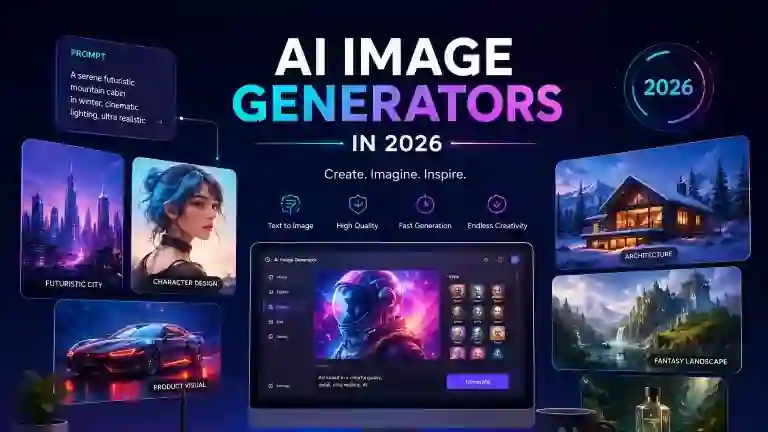
Looking for the best AI image generators in 2026? AI image generators make it easier to create realistic photos, digital artwork, illustrations, marketing visuals, and creative designs from simple text prompts. In this guide, we compare 10 of the best AI image generators in 2026, including free and paid options, so you can find the right tool for your needs.
AI image generation has become an important part of modern digital creativity. Instead of spending hours creating an image from scratch, you can describe what you want and let an AI tool generate a visual based on your instructions.
Modern AI image generators can create realistic photographs, illustrations, concept art, marketing graphics, social media visuals, product images, and many other types of content. Many tools can also edit existing images, replace backgrounds, remove objects, and create variations.
In this guide, we compare the 10 best AI image generators in 2026, explain what each tool is best for, and help you choose the right option for your specific needs.
Quick Comparison: Best AI Image Generators in 2026
| AI Image Generator | Best For | Main Strength | Free Access | Ease of Use |
|---|---|---|---|---|
| Midjourney | Creative images | Artistic quality | Varies | Medium |
| ChatGPT | Easy image creation | Natural-language workflow | Limited | Very Easy |
| Google Gemini | Image creation and editing | Conversational AI | Limited | Easy |
| Adobe Firefly | Professional design | Adobe ecosystem | Limited | Easy |
| Ideogram | Text in images | Typography | Limited | Easy |
| Leonardo AI | Creative control | Advanced creation tools | Limited | Medium |
| FLUX | Realistic images | Detailed generation | Varies | Medium |
| Canva AI | Marketing and social media | Easy design workflow | Limited | Very Easy |
| Recraft | Graphic design | Design-focused generation | Limited | Easy |
| Microsoft Designer | Beginners | Simple AI-assisted design | Limited | Very Easy |
Free access, credits, features, and pricing can change over time. Check each platform’s current terms before choosing a tool for long-term use.
What Are AI Image Generators?
AI image generators are software tools that use artificial intelligence to create or modify images based on text prompts, reference images, or other instructions.
For example, you could type:
A futuristic city at night with neon blue lights and flying cars.
The AI can interpret the description and generate an image based on the prompt.
Modern image generators can do much more than simple text-to-image generation. Depending on the platform, they can edit existing images, remove objects, change backgrounds, create variations, add text, or transform an image into a different visual style.
What Can AI Image Generators Create?
AI image generators can be used to create many different types of visual content, including:
- Blog images
- Website graphics
- Social media posts
- Product images
- Advertisements
- Illustrations
- Concept art
- Logos and branding concepts
- Presentations
- Posters
- YouTube thumbnails
- Marketing visuals
- Realistic photographs
- Character designs
- Backgrounds
This makes AI image generation useful for designers, marketers, bloggers, students, businesses, developers, and content creators.
10 Best AI Image Generators in 2026
1. Midjourney — Best Overall AI Image Generator
Midjourney remains one of the strongest choices for people who want highly creative and visually impressive AI-generated images.
It is particularly well known for artistic styles, detailed scenes, concept art, characters, environments, and cinematic visuals.
Midjourney also offers web-based creative tools that make it possible to generate and refine images without relying only on a simple text-to-image workflow.
Best For
- Creative artwork
- Concept art
- Cinematic images
- Character design
- Fantasy artwork
- Professional-looking illustrations
Why We Like It
Midjourney is a strong option when visual quality and creative style are more important than having the simplest possible interface.
Its results can have a polished artistic appearance without requiring advanced graphic-design skills.
Best Choice For
Artists, designers, creators, and people who want visually impressive images.
2. ChatGPT Image Generation — Best for Easy AI Image Creation
ChatGPT is a convenient choice for users who want to create images using natural language.
Instead of learning a complicated image-generation interface, users can describe what they want and refine the result through conversation.
This makes it especially useful for people who want to generate an image, inspect it, request changes, and continue improving the result.
Best For
- Beginners
- Blog graphics
- Marketing visuals
- Creative ideas
- Image editing
- Conversational image creation
Why We Like It
The biggest advantage is simplicity.
You can explain the desired image in normal language and then request changes such as:
- Change the background
- Remove an object
- Change the colors
- Make the image more realistic
- Change the composition
- Add or remove details
Best Choice For
Beginners and users who want a simple AI image workflow.
3. Google Gemini — Best for AI Image Creation and Editing
Google Gemini is another strong option for AI-powered image creation and editing.
It can be useful for users who want to combine image generation with conversational AI and other Google services.
Gemini is particularly convenient for people who already use Google’s AI ecosystem and want image capabilities alongside text and research tasks.
Best For
- Image editing
- Creative experiments
- General AI users
- Google ecosystem users
- Quick visual concepts
Why We Like It
Gemini provides a conversational approach to creative tasks. Instead of working through a complicated interface, you can describe the visual you want and refine your instructions through conversation.
Best Choice For
Google users and people who want conversational AI image creation.
4. Adobe Firefly — Best for Professional Creative Work
Adobe Firefly is designed around creative workflows and integrates closely with Adobe’s ecosystem.
Firefly can be useful for generating and editing images while continuing the creative process inside Adobe’s broader design tools.
This makes it particularly interesting for designers, marketers, and professionals who already use Adobe products.
Best For
- Graphic designers
- Marketing teams
- Professional creative work
- Adobe users
- Commercial content
Why We Like It
One of Firefly’s biggest strengths is its connection to the Adobe ecosystem.
Instead of generating an image and stopping there, users can continue working with the asset in a broader creative workflow.
Best Choice For
Designers and professionals who already use Adobe Creative Cloud.
5. Ideogram — Best for Text in Images
One of the biggest challenges in AI-generated images has historically been creating accurate and readable text.
Ideogram is particularly useful for designs where text inside the image is important.
This makes it useful for:
- Posters
- Logos
- Advertisements
- Social media graphics
- Typography
- Marketing designs
- Presentation graphics
Best For
- Text in images
- Posters
- Graphic design
- Logos
- Marketing visuals
Why We Like It
If your image needs a headline, slogan, label, or other readable text, Ideogram is one of the tools worth considering.
Best Choice For
Designers and creators who need readable text inside AI-generated images.
6. Leonardo AI — Best for Creative Control
Leonardo AI is designed for creators who want more control over the visual generation process.
It can be useful for creating artwork, game assets, characters, illustrations, and other visual content.
Best For
- Game assets
- Character design
- Digital art
- Concept art
- Creative projects
Why We Like It
Leonardo provides a broad set of creative controls, making it useful for users who want more than a simple prompt-and-generate experience.
Best Choice For
Artists, game developers, designers, and creative professionals.
7. FLUX — Best for Realistic AI Images
FLUX has become an important name in AI image generation, particularly for users interested in realism and detailed image generation.
Different FLUX models and implementations are available through different platforms, so the exact experience can vary depending on where you use it.
Best For
- Photorealistic images
- Detailed scenes
- Creative experimentation
- Advanced users
- Image-generation workflows
Why We Like It
FLUX is particularly interesting for users who want high-quality generated images and more flexibility around models and workflows.
Best Choice For
Advanced users and creators interested in realistic AI-generated images.
8. Canva AI — Best for Social Media and Marketing
Canva is widely used for graphic design, presentations, social media content, and marketing materials.
Its AI features make it easier to combine AI-generated visuals with ready-made design layouts.
Best For
- Social media
- Presentations
- Marketing
- Blog graphics
- Thumbnails
- Business content
Why We Like It
Canva’s biggest advantage is that image generation is part of a broader design platform.
You can generate an image and then immediately place it into a social media post, presentation, advertisement, or other design.
Best Choice For
Marketers, small businesses, bloggers, and social media creators.
9. Recraft — Best for Graphic Design
Recraft is especially interesting for users who need design-oriented AI outputs rather than only artistic images.
It can be useful for creating visual assets, illustrations, icons, and brand-oriented graphics.
Best For
- Graphic design
- Illustrations
- Icons
- Brand concepts
- Marketing assets
Why We Like It
Recraft focuses strongly on design workflows, making it a useful option when the final image needs to work as part of a broader visual identity.
Best Choice For
Graphic designers and branding-focused creators.
10. Microsoft Designer — Best for Simple AI Design
Microsoft Designer provides an accessible way to create AI-assisted designs and images.
It can be useful for users who want to quickly create social media graphics, invitations, promotional visuals, and other simple designs.
Best For
- Beginners
- Social media
- Simple graphics
- Marketing
- Quick designs
Why We Like It
Its main advantage is accessibility.
You do not need advanced design experience to start creating visual content.
Best Choice For
Beginners and users who need quick AI-assisted designs.
Which AI Image Generator Should You Choose?
There is no single AI image generator that is perfect for everyone. The best option depends on what you want to create, how much control you need, and whether you need image editing, readable text, marketing features, or a simple workflow.
Best Overall: Midjourney
Midjourney is a strong choice if your main priority is creative quality, artistic style, and visually impressive images.
Best for Beginners: ChatGPT
ChatGPT is a convenient choice for beginners because you can describe the image you want in natural language and refine the result conversationally.
Best for Realistic Images: FLUX
FLUX is worth considering if realism, detail, and flexibility are among your main priorities.
Best for Text in Images: Ideogram
Ideogram is a strong choice when readable text is an important part of the image, such as posters, advertisements, and social media graphics.
Best for Professional Design: Adobe Firefly
Adobe Firefly is particularly useful for designers and professionals who already work within the Adobe ecosystem.
Best for Marketing: Canva AI
Canva AI is useful for marketers and content creators who want to generate visuals and immediately use them inside social media posts, presentations, advertisements, and other designs.
Best Free AI Image Generators in 2026
You do not always need to pay for an AI image generator.
Several platforms offer free tiers or limited free access, although the exact limits, credits, and available features can change.
Some options worth checking include:
- Microsoft Designer
- Canva
- Adobe Firefly
- Ideogram
- Leonardo AI
Free plans may include restrictions such as:
- Daily or monthly credits
- Limited generation amounts
- Watermarks
- Lower-resolution exports
- Limited editing features
- Slower generation
Because AI platforms frequently change their plans and limits, always check the current pricing and usage terms before choosing a tool for long-term use.
How to Write Better AI Image Prompts
The quality of an AI-generated image depends heavily on how clearly you describe what you want.
A good prompt usually includes several important elements.
1. Subject
Explain what should appear in the image.
Example: A futuristic electric car
2. Environment
Describe where the subject is.
Example: Driving through a modern city at night
3. Lighting
Specify the lighting style.
Example: Blue neon lighting with soft reflections
4. Composition
Explain how you want the image arranged.
Example: Wide cinematic composition with the car positioned on the right
5. Style
Describe the visual style.
Example: Photorealistic, premium automotive advertising style
A more detailed prompt could become:
A futuristic electric sports car driving through a modern city at night, blue neon lights reflecting on wet streets, cinematic lighting, premium automotive advertising photography, realistic materials, wide composition, high detail.
The more clearly you communicate the desired result, the easier it is for the AI model to understand the visual direction.
AI Image Generation vs Traditional Design
AI image generators do not completely replace traditional graphic-design software.
Instead, they can speed up many parts of the creative process.
AI Is Useful For
- Brainstorming
- Concept creation
- Background generation
- Image variations
- Visual experiments
- Rapid prototypes
Traditional Design Tools Are Still Useful For
- Precise layouts
- Brand guidelines
- Professional typography
- Pixel-perfect editing
- Complex vector work
- Final production
The strongest workflow is often a combination of both.
You can use AI to generate ideas quickly and then use professional design software to refine the final result.
Are AI-Generated Images Copyrighted?
Copyright rules surrounding AI-generated images vary depending on the country, how much human creativity is involved, and the specific circumstances of the work.
Because copyright law is different across jurisdictions, you should not assume that every AI-generated image automatically receives the same copyright protection as a traditionally created image.
If you are creating images for commercial use, also review the platform’s current licensing and usage terms.
This is especially important for businesses, advertising campaigns, websites, and products.
Can AI Images Be Used Commercially?
Some AI image platforms allow commercial use under certain plans or conditions.
However, the exact rules differ between services.
Before using an AI-generated image commercially, check:
- The platform’s current terms
- Your subscription plan
- Commercial-use permissions
- Content restrictions
- Trademark considerations
- Copyright requirements
How to Choose the Best AI Image Generator
Before choosing a tool, ask yourself five questions.
1. What Do You Want to Create?
A tool that is excellent for artistic images may not be the best option for logos, advertisements, or marketing graphics.
2. Do You Need Image Editing?
If you want to modify existing images, look for tools with editing features such as inpainting, background replacement, layers, or object removal.
3. Do You Need Text Inside Images?
If your designs contain headlines or readable text, choose a generator that performs well with typography.
4. Do You Need Commercial Use?
If you are creating images for a business, carefully check licensing and commercial-use conditions before publishing or selling the content.
5. Do You Need a Free Plan?
If you are just starting, a free tier can be a good way to test whether a tool fits your workflow before paying for a subscription.
Frequently Asked Questions
What is the best AI image generator in 2026?
There is no single best tool for everyone. Midjourney is a strong choice for artistic images, ChatGPT is convenient for conversational image creation, Adobe Firefly is useful for professional creative workflows, and Ideogram is particularly useful when text inside images matters.
What is the best free AI image generator?
The best free option depends on your needs. Microsoft Designer, Canva, Adobe Firefly, Ideogram, and Leonardo AI offer free or limited-free access, but their limits and features can change over time.
Which AI image generator creates the most realistic images?
FLUX and Midjourney are strong options for realistic and detailed images, although results can vary depending on the model, prompt, reference images, and settings.
What is the best AI image generator for text?
Ideogram is a strong choice for images that require readable text, making it useful for posters, advertisements, social media graphics, and typography-focused designs.
Can AI generate images from text?
Yes. Most modern AI image generators can create images from natural-language descriptions. You describe the subject, environment, style, lighting, and other details, and the AI generates an image based on those instructions.
Can AI edit existing images?
Yes. Many modern tools support image editing, although the available features differ between platforms. Depending on the tool, you may be able to remove objects, change backgrounds, modify colors, or create variations.
Can I use AI-generated images on my website?
In many cases, yes, but you should check the specific platform’s current licensing and usage terms before publishing images commercially.
Are AI-generated images free?
Some tools offer free generations or free tiers, while others require a subscription or credits for regular use. Free limits and pricing can change, so check the current plan before relying on a service.
Final Verdict
AI image generators have become one of the most useful categories of generative AI.
The 10 best AI image generators in 2026 each have different strengths:
- Midjourney — Best Overall
- ChatGPT — Best for Easy Image Creation
- Google Gemini — Best for Image Creation and Editing
- Adobe Firefly — Best for Professional Creative Work
- Ideogram — Best for Text in Images
- Leonardo AI — Best for Creative Control
- FLUX — Best for Realistic Images
- Canva AI — Best for Marketing and Social Media
- Recraft — Best for Graphic Design
- Microsoft Designer — Best for Beginners
The best choice depends on your specific needs.
If you want impressive artwork, start with Midjourney. If you want a simple conversational experience, try ChatGPT. For professional design workflows, Adobe Firefly is worth considering. If text inside images is important, Ideogram is a strong choice. For marketing and social media, Canva AI is a practical option.
Most importantly, do not choose an AI image generator simply because it is popular.
Choose the tool that produces the type of images you actually need.
As these platforms continue to improve, AI image generation is likely to become an increasingly important part of design, marketing, content creation, and everyday digital work.