Creating a Normal Map from an ordinary image can be useful for 3D artists, game developers, designers, Blender users, and anyone working with textures and real-time rendering.
The problem is that many tools for creating normal maps are complicated, require software installation, or come with unnecessary limitations.
Paylan Free Image Converter makes the process much easier.
With Paylan, you can convert images directly in your browser, customize the result, preview your changes instantly, and export your finished Normal Map without needing to install additional software.

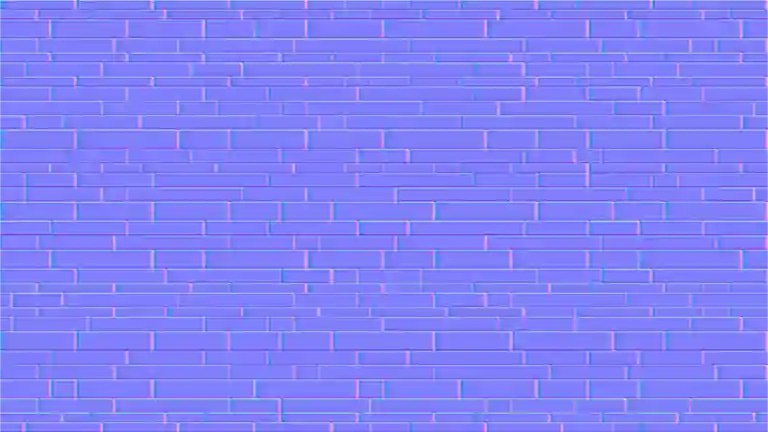
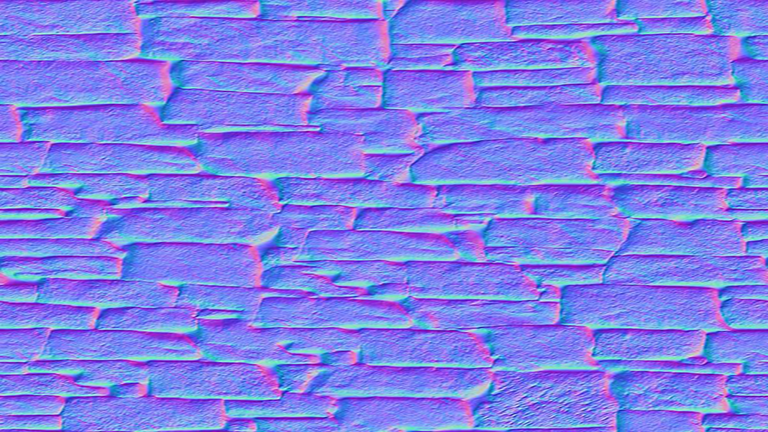
What Is a Normal Map?
A Normal Map is a special type of texture used in 3D graphics to simulate small surface details such as bricks, scratches, bumps, cracks, fabric, and other surface features.
Instead of adding real geometric details to a 3D model, a Normal Map changes how light interacts with the surface.
This can make a simple flat surface look much more detailed without dramatically increasing the geometry of a model.
For example, a simple brick image can be converted into a Normal Map that can then be used in applications such as Blender, Unreal Engine, Unity, and other 3D workflows.
Create a Normal Map Without Installing Software
One of the biggest advantages of Paylan’s Image Converter is that you don’t need to download a separate program just to create a Normal Map.
Everything works directly inside your web browser.
Simply add your image, choose the Normal Map option, adjust the settings, and preview the result.
This makes Paylan especially useful when you need a quick texture conversion without installing large graphics applications.
No complicated installation.
No unnecessary software.
Just open Paylan and start working.
Convert Up to 10 Images at the Same Time
Working with multiple textures can quickly become repetitive.
Instead of converting every image individually, Paylan allows you to work with up to 10 images at the same time.
This can save a significant amount of time when you’re preparing a collection of textures for a project.
For example, you could prepare several:
- Brick textures
- Concrete textures
- Stone textures
- Wood textures
- Fabric textures
- Wall textures
- Ground textures
- Surface detail images
Add your images, configure your settings, and process them together.
That makes Paylan useful not only for a single image but also for larger texture workflows.
See Your Normal Map Before You Export It
One of the most useful features of Paylan is the Live Preview.
You don’t have to export your image first just to discover that the result isn’t what you wanted.
Paylan gives you a preview of the generated Normal Map directly on the page.
This allows you to experiment with the settings and immediately see how your changes affect the result.
You can adjust the image and continue checking the preview until you get the appearance you want.
This makes the workflow much faster:
Adjust → Preview → Improve → Export
No need to repeatedly download files just to check the result.
Control the Strength of the Normal Map
Different textures require different levels of surface detail.
A subtle stone texture may need a relatively gentle Normal Map, while a brick wall or heavily detailed surface may require stronger depth information.
Paylan gives you control over the strength of the generated Normal Map.
You can adjust the intensity of the surface details and see the result immediately in the preview.
This gives you much more control than simply converting an image with a single automatic setting.
Blur and Smooth the Result
Real-world images can contain noise, small imperfections, or unwanted details.
Paylan includes Blur / Smooth controls that can help reduce unnecessary noise before generating the Normal Map.
This can be useful when your original image contains:
- Camera noise
- Excessive texture detail
- Small unwanted artifacts
- Rough edges
- Fine visual noise
By adjusting the smoothing level, you can create a cleaner texture for your 3D workflow.
Customize Your Image Before Conversion
Paylan isn’t limited to Normal Map generation.
You can also modify your image before exporting it.
The converter includes image adjustment tools such as:
- Blur
- Contrast
- Brightness
- Saturation
- Grayscale
- Sepia
- Inversion
- Hue Rotation
- Opacity
- Drop Shadow
This means you can prepare the image and create the desired result from the same interface instead of moving between multiple tools.
Resize Your Texture Before Exporting
Texture resolution can be important in different projects.
Sometimes you may need a large texture, while other projects may require a smaller file for better performance.
Paylan includes Resize Content controls that allow you to adjust the output dimensions and percentage.
You can also maintain the original aspect ratio when resizing your image.
This gives you more flexibility when preparing textures for different applications and workflows.
A Free Image Converter With More Than Normal Maps
Although Normal Map conversion is one of the interesting features of Paylan, the platform is designed as a broader free online image conversion tool.
You can work with formats and conversions such as:
- JPG to PNG
- PNG to JPG
- Image to WebP
- Image to ICO
- Image to SVG
- Image to Normal Map
So instead of keeping several small conversion websites bookmarked, you can use one place for many common image-processing tasks.
Your Images Stay in Your Browser
Privacy is another important part of Paylan’s approach.
The image-processing workflow is designed to work directly in your browser, meaning your images do not need to be uploaded to a remote server for the conversion process.
This is especially useful when you’re working with personal images, project assets, design files, or textures that you don’t want to send to an online service.
Your files stay on your device while you work.
There is no need to create an account just to perform a simple image conversion.
Completely Free to Use
Paylan’s Image Converter is built as a free online tool.
You don’t need to purchase expensive software just to convert an image into a Normal Map.
For users who only occasionally need texture conversion, this can be a much more convenient solution than installing professional graphics software.
And for developers, designers, and creators who frequently work with images, having a free browser-based tool available can make everyday tasks much faster.
Perfect for 3D Artists and Game Developers
A Normal Map converter can be useful in many different workflows.
For example, you can start with a photograph or texture image and create a Normal Map that can later be used with a material in a 3D application.
This can be useful for:
Blender
Create surface detail for materials and 3D models.
Game Development
Prepare texture assets for game environments and objects.
3D Rendering
Add visual surface detail without modeling every small feature.
Material Design
Create additional texture maps from ordinary images.
Architecture & Visualization
Prepare wall, floor, stone, concrete, and other material textures.
Why Use Paylan Instead of Downloading Another Program?
Sometimes a simple task doesn’t need a large application.
If all you need is to convert an image into a Normal Map, install another program, search for plugins, configure complicated settings, and learn a new interface can take more time than the actual conversion.
Paylan keeps the process simple.
With Paylan, you can:
- Use the tool for free
- Work directly in your browser
- Convert up to 10 images at once
- Create Normal Maps
- Adjust Normal Map strength
- Control blur and smoothing
- Resize your images
- Apply image filters
- Preview changes instantly
- Export your results
- Avoid unnecessary software installation
- Keep your image-processing workflow inside your browser
From a Simple Image to a Useful 3D Texture
Imagine you have a photograph of a brick wall.
Normally, it is simply a flat image.
With Paylan, you can use that image as the starting point for a Normal Map.
You can adjust the strength, control the smoothness, preview the result, and export the generated PNG.
The final Normal Map can then become part of a larger material workflow in your preferred 3D software.
That is the idea behind Paylan:
Take a complicated image task and make it simple, fast, and accessible.
Paylan Is More Than an Image Converter
Paylan is building a collection of free online tools designed to make everyday digital tasks easier.
Alongside the Free Image Converter, Paylan also provides other free tools for developers, creators, and everyday users.
The goal is simple: provide useful tools that are easy to access without forcing users to install software for every small task.
If you’re looking for a fast way to convert images, create Normal Maps, resize textures, or make quick image adjustments, Paylan Free Image Converter is worth trying.
Start Creating Your Normal Map
You don’t need expensive software.
You don’t need a complicated installation.
You don’t need to upload your images to an external service.
Just open Paylan, add your image, choose Image to Normal Map, adjust the settings, preview the result, and export your texture.
Try Paylan Free Image Converter →
And if you’re looking for more free browser-based tools for everyday development and technical tasks, explore: