
Cybersecurity is more important than ever in 2026. We use the internet for almost everything—from banking and shopping to social media, work, and communication. But even a small mistake can expose your personal information, passwords, accounts, and valuable data.
The good news is that many cybersecurity problems are preventable.
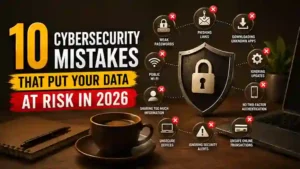
In this guide, we’ll cover 10 common cybersecurity mistakes that can put your data at risk in 2026 and explain what you can do to avoid them.
1. Using the Same Password Everywhere
One of the biggest cybersecurity mistakes is using the same password for multiple accounts.
If one website suffers a data breach and your password is exposed, attackers may try that same password on your email, social media, banking, and other accounts.
This is known as credential stuffing.
How to avoid it
Use a unique password for every important account. A password manager can make this much easier by generating and storing strong passwords for you.
Your email account deserves special attention because gaining access to it can potentially allow an attacker to reset passwords for many other services.
2. Ignoring Two-Factor Authentication
A strong password is useful, but it isn’t always enough.
Two-factor authentication (2FA) adds another security layer by requiring an additional verification method after your password.
Depending on the service, this could be an authentication app, security key, or verification code.
Even if someone obtains your password, 2FA can make it significantly harder for them to access your account.
What you should do
Enable two-factor authentication on important accounts, especially:
- Banking
- Social media
- Cloud storage
- Work accounts
- Developer accounts
3. Clicking Suspicious Links
A message doesn’t have to look obviously fake to be dangerous.
Attackers can create convincing emails, text messages, advertisements, and social-media messages that lead to malicious or fraudulent websites.
A message might claim that your account needs verification, your package cannot be delivered, or you’ve won a prize.
Instead of clicking the provided link, open the company’s official website or app yourself.
If you want to learn more about this type of threat, read our guide to 10 Dangerous Online Scams You Should Avoid in 2026.
4. Using Outdated Software
Software updates aren’t only about adding new features.
They often contain important security fixes that protect against newly discovered vulnerabilities.
Ignoring updates on your operating system, browser, apps, and devices can leave known security weaknesses unpatched.
Make updates a habit
Keep these updated whenever possible:
- Windows or macOS
- Android or iOS
- Web browsers
- Security software
- Important applications
- Router firmware
Turn on automatic updates when the option is available.
5. Connecting to Untrusted Public Wi-Fi
Public Wi-Fi can be convenient, but you shouldn’t automatically assume that every network is safe.
An attacker could create a fake Wi-Fi hotspot with a name that looks similar to a legitimate network. Connecting to an untrusted network can expose you to additional security risks.
Stay safer on public Wi-Fi
Avoid performing highly sensitive activities on unfamiliar networks whenever possible.
For example, consider waiting until you’re on a trusted connection before accessing important financial or administrative accounts.
6. Sharing Too Much Personal Information Online
Cybersecurity isn’t only about passwords and software.
The information you share publicly can also help attackers.
Your birthday, phone number, location, workplace, family information, and other details may be used to make scams and impersonation attempts more convincing.
Attackers can combine information from social media with information obtained from other sources.
Protect your privacy
Review your social-media privacy settings and think carefully before publishing personal information publicly.
You don’t need to disappear from the internet. You simply need to be more selective about what you share.
7. Downloading Apps From Unknown Sources
Installing software from unofficial websites can expose your device to malicious applications.
This is especially risky when an unknown website offers a paid application for free or claims that you need to install a special tool to access a service.
Safer approach
Whenever possible, download applications from official app stores or the software developer’s official website.
Before installing an unfamiliar application, check:
- Who developed it
- How many people use it
- Reviews and ratings
- Requested permissions
- Whether the developer has an official website
8. Ignoring Account Security Alerts
Security alerts shouldn’t automatically be dismissed.
If your email provider, social-media platform, or another service tells you that there was a new login or suspicious activity, investigate it.
Sometimes alerts are caused by legitimate activity, but they can also indicate that someone has obtained your credentials.
If you receive an unexpected alert
Go directly to the official website or app.
Don’t use links inside a suspicious email or text message to investigate the alert.
Check recent login activity and change your password if necessary.
9. Giving Verification Codes to Other People
Verification codes are designed to protect your accounts.
Unfortunately, scammers sometimes contact users and ask them to provide a code that was just sent to their phone or email.
They may claim to be customer support, a bank employee, a friend, or another trusted person.
Never give an authentication or verification code to someone who contacts you unexpectedly.
If someone asks for a code that you didn’t request, treat it as a major warning sign.
10. Trusting AI-Generated Content Too Quickly
AI has made it easier to create realistic text, images, voices, and videos.
That creates a new cybersecurity challenge in 2026.
A message that sounds professional doesn’t necessarily come from a legitimate company. A voice that sounds like someone you know doesn’t automatically prove that the person is really speaking to you.
Attackers can use AI to make scams more convincing and personalized.
How to stay cautious
Don’t rely on appearance or voice alone.
If someone makes an unusual request—especially involving money, passwords, account access, or sensitive information—verify the request through another trusted channel.
You can also learn more about AI and how it works in our article How Does Artificial Intelligence Work?.
Why Cybersecurity Mistakes Are More Dangerous in 2026
Cyber threats are changing quickly.
Attackers now have access to increasingly sophisticated tools that can automate parts of their attacks and make fraudulent communication look more convincing.
At the same time, people are using more online services than ever.
Your digital life may include:
- Multiple social-media accounts
- Online banking
- Cloud storage
- Shopping accounts
- Work platforms
- Mobile applications
- AI tools
- Personal email
Each account can become another potential target.
That’s why basic cybersecurity habits are so important.
Simple Cybersecurity Habits to Start Today
You don’t need to become a cybersecurity expert to improve your online security.
Start with these simple steps:
- Use unique passwords.
- Enable two-factor authentication.
- Keep your software updated.
- Avoid suspicious links.
- Download apps from trusted sources.
- Review account security alerts.
- Limit personal information shared publicly.
- Avoid giving verification codes to anyone.
- Be careful with public Wi-Fi.
- Verify unusual requests independently.
- Back up important files.
- Review your account activity regularly.
What to Do If You Think Your Account Has Been Compromised
If you believe someone has accessed one of your accounts, don’t panic.
Take action quickly.
Step 1: Change the password
Use a new, unique password that you haven’t used anywhere else.
Step 2: Enable 2FA
If two-factor authentication isn’t already enabled, turn it on.
Step 3: Check active sessions
Look for unfamiliar devices or locations and sign them out.
Step 4: Check recovery information
Make sure the recovery email address and phone number still belong to you.
Step 5: Review recent activity
Look for unexpected messages, purchases, password changes, or other suspicious actions.
Final Thoughts
Cybersecurity doesn’t have to be complicated.
Many successful attacks begin with a simple mistake: reusing a password, clicking a suspicious link, ignoring an update, or trusting an unexpected request.
In 2026, staying safe online means developing good digital habits and thinking carefully before you click, download, share, or approve something.
You don’t need perfect security. You need consistent security habits.
Start with the basics today, and you’ll make it much harder for attackers to turn a simple mistake into a serious problem.