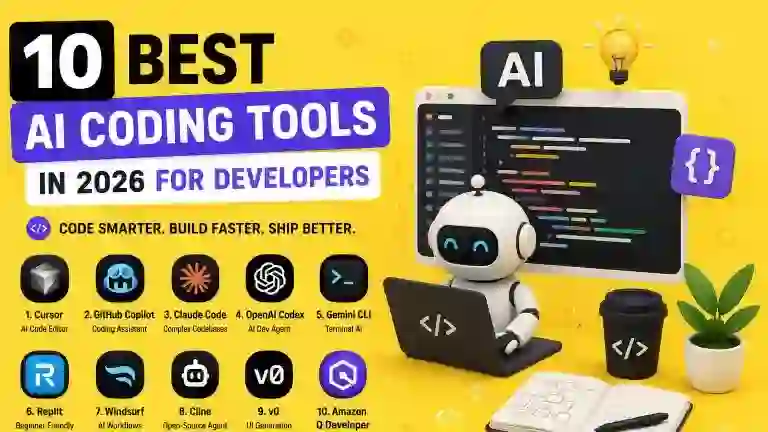
10 Best AI Coding Tools in 2026 for Developers
Introduction
AI has changed the way software is written, tested, debugged, and maintained. In 2026, developers can use AI coding tools to generate code, explain unfamiliar projects, find bugs, write tests, refactor files, and even complete larger multi-step development tasks.
But the number of AI coding tools has also grown quickly. Some tools are designed for autocomplete, while others provide full AI-powered development environments or coding agents that can work across multiple files.
That makes choosing the right tool more difficult.
In this guide, we compare the 10 best AI coding tools in 2026 and explain what each one is best for, who should use it, and whether it offers a useful free option.
The goal is not to find one tool that is perfect for every developer. Instead, we want to help you find the AI coding assistant that fits your programming workflow.
20 Best Free AI Tools in 2026
Quick Comparison: Best AI Coding Tools in 2026
| AI Coding Tool | Best For | Free Option |
|---|---|---|
| Cursor | AI-first development and large projects | Limited |
| GitHub Copilot | Everyday coding assistance | Limited |
| Claude Code | Complex coding and codebases | Limited |
| OpenAI Codex | AI-assisted software development | Depends on plan |
| Gemini CLI | Terminal-based AI development | Yes |
| Replit | Beginners and browser-based development | Yes |
| Windsurf | AI-powered coding workflows | Limited |
| Cline | Open-source coding agents | Yes |
| v0 | Generating web interfaces | Limited |
| Amazon Q Developer | AWS development | Yes |
AI coding products change quickly, and features, pricing, usage limits, and free plans can vary. Developers should check the current plan before choosing a tool.
1. Cursor — Best AI Code Editor
Cursor has become one of the most prominent AI-first development environments.
Instead of simply adding an AI chatbot to a traditional editor, Cursor is designed around AI-assisted programming. It can help developers understand code, edit files, generate code, refactor projects, and work across larger codebases.
Recent 2026 comparisons continue to place Cursor among the leading tools for complex projects and agentic development workflows.
What Can Developers Use Cursor For?
- Writing code
- Refactoring projects
- Understanding unfamiliar codebases
- Debugging
- Generating files
- Multi-file development
- Codebase exploration
- AI-assisted planning
Why Developers Should Try Cursor
Cursor is particularly attractive if you want an editor where AI is deeply integrated into the development process.
Instead of constantly copying code into a separate chatbot, developers can work with AI directly alongside their project.
Best for: Developers working on medium and large software projects.
2. GitHub Copilot — Best for Everyday Coding
GitHub Copilot is one of the most established AI coding assistants.
It is designed to help developers while they write code by providing suggestions, explanations, and other AI-assisted development features.
For developers who already use GitHub and popular development environments, Copilot can fit naturally into an existing workflow.
What Can Developers Use GitHub Copilot For?
- Code completion
- Generating functions
- Explaining code
- Writing tests
- Debugging
- Refactoring
- Documentation
- Coding suggestions
Why Developers Should Try GitHub Copilot
One of Copilot’s biggest strengths is convenience.
You do not necessarily need to completely change your development workflow. Instead, AI assistance can appear directly inside the tools developers already use.
That makes Copilot a strong choice for developers who want an AI pair programmer rather than a completely new AI development environment.
Best for: Everyday coding and developers already using GitHub.
3. Claude Code — Best for Complex Codebases
Claude Code is designed for developers who want to work with AI directly in their coding environment and terminal workflows.
It can help developers understand projects, modify files, troubleshoot problems, and perform more complex development tasks.
Current 2026 comparisons frequently highlight Claude Code for large codebases and deeper software-development work.
What Can Developers Use Claude Code For?
- Understanding large projects
- Debugging
- Refactoring
- Code generation
- Writing tests
- Working from the terminal
- Multi-file changes
- Code review
Why Developers Should Try Claude Code
Claude Code is particularly interesting when the task is larger than simply generating a small function.
For example, a developer could use it to investigate an unfamiliar project, identify where a feature should be changed, modify several related files, and help test the result.
Best for: Experienced developers and complex codebases.
4. OpenAI Codex — Best for AI-Assisted Software Development
OpenAI Codex is designed to help developers with software-engineering tasks.
Rather than focusing only on autocomplete, modern coding agents can help with tasks such as implementing features, fixing bugs, working with repositories, and reviewing changes.
The broader AI coding category has increasingly shifted from simple code completion toward agents that can plan, modify, and verify work across repositories.
What Can Developers Use Codex For?
- Writing code
- Fixing bugs
- Implementing features
- Working with repositories
- Refactoring
- Code review
- Software-engineering tasks
Why Developers Should Try Codex
Codex can be useful when you want AI to help with a complete development task rather than simply suggesting the next line of code.
This makes it particularly interesting for developers who are experimenting with agentic programming workflows.
Best for: Developers who want AI agents to assist with larger software tasks.
5. Gemini CLI — Best for Terminal-Based AI Development
Gemini CLI brings AI assistance into the command-line environment.
For developers who prefer working in terminals, this can be a useful alternative to browser-based AI chat.
Terminal-based AI tools can help developers inspect projects, work with files, generate code, and perform development tasks without constantly switching applications.
Gemini is also part of the broader movement toward agentic development tools, where AI can perform more than simple autocomplete.
What Can Developers Use Gemini CLI For?
- Terminal-based coding
- Code generation
- Project analysis
- Debugging
- File operations
- Development automation
- Command-line workflows
Why Developers Should Try Gemini CLI
If your normal workflow already revolves around the terminal, Gemini CLI can feel more natural than a traditional AI coding assistant.
Best for: Developers who prefer terminal-based workflows.
6. Replit — Best for Beginners
Replit takes a different approach to AI-assisted development.
Instead of requiring developers to configure a local development environment first, Replit provides a browser-based environment where users can build and experiment with software.
This can make it particularly attractive to beginners and non-technical users.
What Can Developers Use Replit For?
- Learning programming
- Building simple applications
- Prototyping
- Creating websites
- Testing ideas
- AI-assisted coding
- Browser-based development
Why Beginners Should Try Replit
One of the biggest barriers to learning programming is getting the development environment working.
Browser-based development can reduce some of that friction.
A beginner can start experimenting with code and gradually learn how the underlying application works.
Best for: Beginners, students, and rapid prototypes.

7. Windsurf — Best for AI-Powered Development Workflows
Windsurf is another AI-powered development environment focused on integrating AI deeply into the coding process.
It is designed to help developers generate, understand, and modify code while staying inside the development workflow.
What Can Developers Use Windsurf For?
- Code generation
- Debugging
- Refactoring
- Project exploration
- AI-assisted development
- Multi-file workflows
- Coding automation
Why Developers Should Try Windsurf
Windsurf is worth considering for developers who want an AI-first coding environment but prefer its workflow and interface over other AI editors.
The AI coding market is changing quickly, so it is worth comparing current features and pricing before choosing between Windsurf, Cursor, and other AI-first editors.
Best for: Developers looking for an AI-first development environment.
8. Cline — Best Open-Source AI Coding Agent
Cline is an AI coding agent that can work inside development environments and help developers complete programming tasks.
One of its interesting characteristics is its open approach and support for different model providers.
That can make it attractive to developers who want more control over how their AI coding workflow works.
What Can Developers Use Cline For?
- Code generation
- Debugging
- Multi-file changes
- Project analysis
- Coding agents
- Development automation
- Custom AI workflows
Why Developers Should Try Cline
Cline can be particularly interesting for experienced developers who want greater control over their AI coding setup.
Instead of being locked into a single AI provider, developers can explore different model configurations depending on their workflow.
Best for: Developers who want flexibility and control over AI coding agents.
9. v0 — Best for Generating Web Interfaces
v0 is especially useful for developers and designers who want to create web interfaces quickly using natural-language instructions.
Instead of starting every interface from scratch, you can describe the type of UI you want and use AI to generate an initial version.
What Can Developers Use v0 For?
- Web UI generation
- React interfaces
- Prototyping
- Landing pages
- Dashboard designs
- Front-end development
- Rapid experimentation
Why Developers Should Try v0
Building a polished interface can take significant time even when the underlying functionality is relatively simple.
AI-powered UI generation can speed up the first version and give developers something they can then refine manually.
Best for: Front-end developers, designers, and rapid UI prototyping.
10. Amazon Q Developer — Best for AWS Developers
Amazon Q Developer is designed to help developers working with Amazon Web Services and related development environments.
For developers already using AWS, an AI assistant that understands the surrounding cloud ecosystem can be particularly useful.
What Can Developers Use Amazon Q Developer For?
- AWS development
- Code generation
- Debugging
- Cloud development
- Understanding AWS services
- Security-related development tasks
- Developer assistance
Why AWS Developers Should Try It
If your applications already depend heavily on AWS, using an AI assistant designed around that ecosystem can reduce the need to constantly switch between development tools and cloud documentation.
Best for: Developers working extensively with AWS.
Best AI Coding Tools for Different Needs
There is no single AI coding tool that is best for every developer.
Best AI Coding Tool Overall
Cursor is one of the strongest choices for developers who want an AI-first coding environment and frequently work on larger projects. Current 2026 comparisons commonly highlight it for complex projects and agentic workflows.
Best for Everyday Coding
GitHub Copilot is a strong choice for developers who want AI assistance integrated into their existing development workflow.
Best for Large Codebases
Claude Code is worth considering when working with complex projects and multi-file development tasks.
Best for AI Coding Agents
OpenAI Codex and Claude Code are strong options for developers exploring more autonomous software-engineering workflows.
Best for Beginners
Replit is a good starting point for people who want to experiment with programming without spending too much time configuring a local environment.
Best for Terminal Users
Gemini CLI is a useful option for developers who prefer command-line workflows.
Best for Web UI
v0 is particularly useful for generating web interfaces and prototypes quickly.
Best for AWS
Amazon Q Developer is a natural option for developers who spend much of their time working with AWS.
Free AI Coding Tools in 2026
One of the best things about the AI coding ecosystem is that developers do not necessarily need to pay immediately.
Several AI coding platforms offer free access, free tiers, open-source options, or limited usage.
This makes it possible to experiment with different workflows before committing to a subscription.
However, free plans often have restrictions such as:
- Limited messages
- Limited AI generations
- Lower usage limits
- Restricted models
- Fewer agentic features
- Limited project context
For a beginner, a free plan may be enough.
For a professional developer working with AI every day, the additional limits and features of a paid plan may be worthwhile.
AI Coding Tools vs Traditional Coding
AI coding tools can significantly increase development speed, but they do not eliminate the need for programming knowledge.
AI-generated code can contain:
- Bugs
- Incorrect assumptions
- Security vulnerabilities
- Deprecated APIs
- Non-existent libraries
- Poor architecture
- Unexpected side effects
Research into AI coding tools has also identified engineering and integration problems in coding agents, including API errors, terminal issues, and command failures.
That means developers should treat AI-generated code as assisted work that requires review, not automatically correct software.
The developer is still responsible for understanding what the code does and verifying that it behaves correctly.
How to Use AI Coding Tools Effectively
The quality of an AI coding workflow depends heavily on how the developer uses the tool.
Instead of saying:
Build my application.
Give the AI a specific task.
For example:
Review this authentication module and identify potential security problems. Do not modify the code yet.
Then:
Explain the three most important problems and suggest fixes.
And finally:
Implement the safest fix and add tests for the affected functionality.
This workflow gives the developer more control and makes it easier to review the AI’s decisions.
Good AI Coding Workflow
Plan → Ask → Review → Implement → Test → Verify
This is generally safer than allowing an AI agent to make large changes without checking its work.
Should Beginners Use AI to Learn Coding?
Yes—but carefully.
AI can be an excellent learning assistant when used to explain concepts rather than simply generate complete solutions.
For example, instead of asking:
Write the entire Python application for me.
A beginner can ask:
Explain how I should structure this Python application and give me a small example for each part.
Then they can write the code themselves and use AI to review it.
This approach helps developers build actual programming skills while still benefiting from AI assistance.
ChatGPT vs Gemini vs Claude: Which AI Is Best in 2026?
How to Choose the Right AI Coding Tool
Before choosing an AI coding tool, consider your actual workflow.
If You Are a Beginner
Start with Replit or a simple coding assistant.
If You Are a Professional Developer
Consider Cursor, GitHub Copilot, Claude Code, or Codex depending on your preferred workflow.
If You Work With Large Codebases
Look at tools designed for multi-file and agentic development such as Cursor and Claude Code.
If You Prefer the Terminal
Consider Gemini CLI, Claude Code, or other terminal-based agents.
If You Build Websites
v0 can be useful for quickly creating and iterating on web interfaces.
If You Work With AWS
Amazon Q Developer can be particularly relevant.
Final Verdict: Best AI Coding Tools in 2026
AI coding has moved far beyond simple autocomplete.
Modern tools can help developers understand codebases, generate features, fix bugs, refactor projects, write tests, and perform larger software-engineering tasks.
Cursor is one of the strongest choices for an AI-first development environment.
GitHub Copilot remains a practical choice for everyday coding assistance.
Claude Code is particularly useful for complex development tasks and larger codebases.
OpenAI Codex is an interesting option for developers exploring AI-assisted software engineering and coding agents.
Gemini CLI is useful for terminal-focused developers.
Replit is a strong starting point for beginners.
Windsurf provides another AI-first development environment.
Cline is worth exploring for developers who want more control over their coding-agent setup.
v0 is useful for rapidly generating web interfaces.
Amazon Q Developer is particularly relevant to AWS developers.
The best AI coding tool depends on your programming experience, project size, preferred development environment, and the amount of control you want over AI-generated code.
For more AI tools across different categories, see our guide to 20 Best Free AI Tools in 2026.
Frequently Asked Questions
What is the best AI coding tool in 2026?
There is no universal winner, but Cursor is one of the strongest choices for developers who want an AI-first coding environment. GitHub Copilot, Claude Code, and Codex are also strong options depending on the workflow.
What is the best free AI coding tool?
Several tools offer free access or free tiers. Gemini CLI, Replit, and some open-source coding agents can be useful starting points, although limits vary.
Is AI coding good for beginners?
Yes. AI can help beginners understand programming concepts, explain errors, and practice coding. However, beginners should avoid relying on AI to write everything for them.
Can AI coding tools replace programmers?
Not completely. AI can automate many coding tasks, but developers still need to understand requirements, architecture, security, testing, debugging, and the final software.
Is Cursor better than GitHub Copilot?
It depends on your workflow. Cursor is particularly attractive for AI-first editing and larger projects, while GitHub Copilot can be more convenient for developers who want AI assistance inside their existing tools.
Is Claude Code good for programming?
Yes. Claude Code is designed for software-development workflows and can be particularly useful for complex projects, code analysis, debugging, and multi-file changes.
Can AI write an entire application?
AI can generate significant portions of an application, but large projects still require human planning, testing, review, security checks, and maintenance.
Are AI coding tools safe?
They can be useful, but AI-generated code should always be reviewed and tested. Developers should pay particular attention to security, dependencies, permissions, and generated commands.
Should developers learn programming if AI can write code?
Absolutely. Programming knowledge remains important because developers need to understand, review, test, debug, and maintain the code AI generates.
To understand the technology behind AI, see our guide on How Does Artificial Intelligence Work?
Conclusion
AI coding tools are becoming an important part of modern software development.
The best tools are no longer limited to autocomplete. Many can now understand projects, generate code, modify multiple files, help debug problems, and assist with larger software-engineering tasks.
For developers, the key is not to choose the tool with the most features. It is to choose the tool that fits the way you actually build software.
Start with a free option if you are experimenting. Test it on real projects. Review every important change. And use AI to increase your productivity without giving up control of your code.