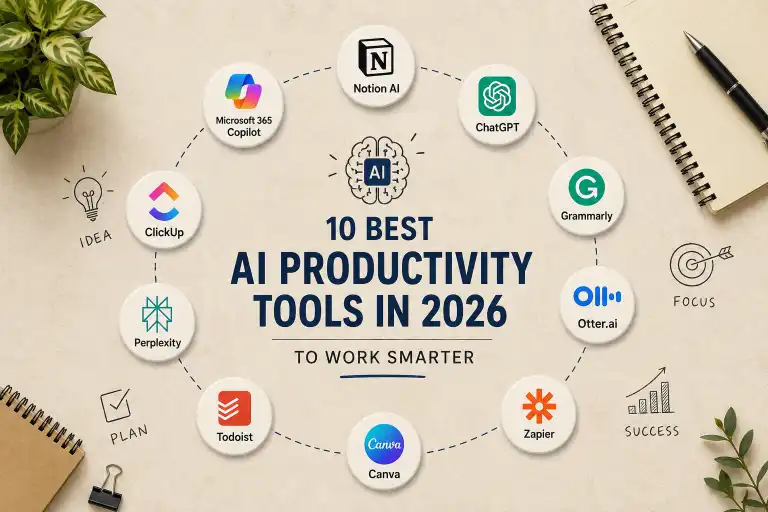
10 Best AI Productivity Tools in 2026 to Work Smarter


Artificial intelligence is changing the way people work, study, communicate, and manage their daily tasks. In 2026, AI productivity tools are no longer limited to answering questions or generating text. They can help organize information, summarize meetings, manage tasks, automate repetitive work, improve writing, and save valuable time.
The right AI productivity tool can make a significant difference in your daily workflow. Instead of spending hours on repetitive tasks, you can use AI to handle routine work while you focus on more important decisions and creative tasks.
In this guide, we explore the 10 best AI productivity tools in 2026, what each tool does best, who should use it, and how it can help you work smarter.
Best AI Tools in 2026: Top 15 AI Tools You Should Try
What Are AI Productivity Tools?
AI productivity tools are software applications that use artificial intelligence to help users complete tasks faster and more efficiently.
These tools can assist with activities such as:
- Writing and editing
- Research and information gathering
- Meeting transcription and summaries
- Task management
- Note-taking
- Project management
- Workflow automation
- Content creation
- Data organization
- Time management
The main goal is simple: reduce repetitive work and help you focus on higher-value tasks.
Why Use AI Productivity Tools in 2026?
Modern work often involves managing dozens of tasks, applications, emails, documents, meetings, and deadlines.
AI can help reduce this workload by automating or simplifying many everyday activities.
Some of the biggest benefits include:
Save Time
AI can handle repetitive tasks in seconds that might otherwise take several minutes or even hours.
Improve Organization
AI-powered tools can summarize information, organize notes, create tasks, and help keep projects structured.
Work More Efficiently
Instead of switching between multiple applications and manually moving information, AI can help connect different parts of your workflow.
Improve Writing
AI writing assistants can help correct grammar, rewrite sentences, improve clarity, and create professional content.
Automate Repetitive Tasks
AI automation tools can connect applications and perform actions automatically when certain events occur.
10 Best AI Productivity Tools in 2026
1. Notion AI — Best for Organization and Knowledge Management
Notion is one of the most useful platforms for organizing notes, documents, projects, and knowledge. With its AI capabilities, it becomes even more useful for productivity.
Notion AI can help users summarize information, organize ideas, generate content, and work with information stored inside their workspace.
Best For
- Note-taking
- Project organization
- Documentation
- Content planning
- Team collaboration
- Knowledge management
Why We Like It
Notion is especially useful for people who want to keep their work, notes, projects, and information in one organized workspace.
Instead of keeping information across multiple applications, you can build a centralized workspace and use AI to work with that information.
Best choice for: Students, content creators, freelancers, and teams.
2. Microsoft 365 Copilot — Best for Microsoft Users
Microsoft 365 Copilot brings AI assistance into Microsoft’s productivity ecosystem.
For people who already use applications such as Word, Excel, PowerPoint, Outlook, and Teams, an AI assistant integrated into those applications can make everyday work more efficient.
It can help with tasks such as drafting documents, summarizing information, working with spreadsheets, preparing presentations, and handling communication.
Best For
- Business professionals
- Microsoft 365 users
- Document creation
- Presentations
- Email productivity
- Data analysis
Why We Like It
The biggest advantage of Microsoft 365 Copilot is integration. Users do not necessarily need to move their workflow into a completely separate AI application.
Best choice for: Professionals and organizations already using Microsoft 365.
3. Grammarly — Best AI Writing Assistant
Good communication is an important part of productivity.
Grammarly uses AI-powered writing assistance to help users improve grammar, clarity, tone, and overall communication.
It can be useful when writing:
- Emails
- Blog posts
- Reports
- Business documents
- Social media posts
- Academic writing
Best For
- Writing
- Editing
- Grammar correction
- Professional communication
- Content creation
Why We Like It
Instead of manually reviewing every sentence, Grammarly can quickly identify areas that may need improvement.
For people who write frequently, this can reduce editing time and make communication more polished.
Best choice for: Writers, students, professionals, and content creators.
4. Otter.ai — Best for Meetings and Transcription
Meetings can generate a large amount of information, and remembering everything afterward can be difficult.
Otter.ai focuses on AI-powered meeting transcription and note-taking. It can turn conversations into searchable text and help users capture important information from meetings.
Best For
- Meeting notes
- Transcription
- Interviews
- Team discussions
- Online meetings
Why We Like It
Instead of trying to write down everything during a meeting, users can focus on the conversation while AI helps capture the important information.
This can be especially useful for teams, journalists, researchers, students, and professionals who regularly attend meetings.
Best choice for: Anyone who spends a lot of time in meetings.
5. Zapier — Best for AI Automation
Zapier is designed to connect applications and automate workflows.
Its AI-powered features can help users create and manage workflows using natural language. Zapier can connect thousands of applications and automate actions between them.
For example, an automated workflow could:
- Receive a form submission.
- Process the information with AI.
- Create a task.
- Send a notification.
- Save the information in another application.
Best For
- Workflow automation
- Repetitive tasks
- Business processes
- Connecting applications
- AI automation
Why We Like It
Automation is one of the most powerful ways to improve productivity because it can remove repetitive manual work from your daily routine.
Zapier currently positions itself around AI-powered automation and integrations across a large ecosystem of applications.
Best choice for: Professionals, marketers, business owners, and teams that perform repetitive workflows.
6. ClickUp — Best for AI-Powered Project Management
ClickUp combines project management, task management, documentation, and collaboration in one platform.
Its AI features can help users summarize information, generate content, organize work, and make project management more efficient.
Best For
- Project management
- Task management
- Team collaboration
- Documentation
- Work planning
Why We Like It
Managing a project often means dealing with tasks, deadlines, documents, comments, and updates.
Having these elements in one workspace can make it easier to understand what needs to be done and what is already completed.
Best choice for: Teams and professionals managing multiple projects.
7. Perplexity — Best for AI Research
Research can take a significant amount of time, especially when you need to compare information from different sources.
Perplexity is an AI-powered search and research platform designed to provide direct answers while presenting sources for further investigation.
Best For
- Research
- Finding information
- Exploring topics
- Comparing sources
- Quick research summaries
Why We Like It
Instead of opening many search results and reading everything manually, users can start with an AI-generated overview and then examine the cited sources.
However, AI-generated answers should still be verified when accuracy is important.
Best choice for: Researchers, students, writers, and professionals.
8. Canva — Best for AI-Powered Visual Content
Creating professional graphics traditionally required design experience and specialized software.
Canva makes visual content creation easier, and its AI features can assist with generating and editing content.
Users can create:
- Presentations
- Social media graphics
- Blog images
- Marketing materials
- Posters
- Thumbnails
Best For
- Graphic design
- Presentations
- Social media
- Marketing
- Content creation
Why We Like It
Canva is particularly useful for people who need professional-looking visuals without spending a large amount of time learning advanced design software.
Best choice for: Content creators, marketers, students, and small teams.
9. Todoist — Best for AI-Assisted Task Management
Todoist is a popular task-management platform designed to help users organize their daily responsibilities.
AI-assisted features can help users turn ideas into actionable tasks and manage their workload more efficiently.
Best For
- To-do lists
- Personal productivity
- Daily planning
- Task management
- Project organization
Why We Like It
A productivity system does not need to be complicated.
For many users, having a clear list of tasks and deadlines is enough to stay organized. AI can make the process of turning ideas into structured tasks easier.
Best choice for: Individuals who want a simple task-management system.
10. Google Gemini — Best for Google Ecosystem Users
Google Gemini is Google’s AI platform and can be useful for a wide range of productivity tasks.
It can help users brainstorm ideas, summarize information, analyze content, write drafts, and work with information across Google’s ecosystem.
Best For
- Writing
- Research
- Brainstorming
- Google Workspace users
- General productivity
Why We Like It
For users who already rely heavily on Google’s ecosystem, Gemini can be a natural addition to their workflow.
It is particularly useful when AI assistance needs to fit into an existing Google-based workflow.
Best choice for: Google users, students, professionals, and content creators.
AI Productivity Tools Comparison
| Tool | Best For | Main Productivity Benefit |
|---|---|---|
| Notion AI | Organization | Managing notes and knowledge |
| Microsoft 365 Copilot | Office work | Working inside Microsoft 365 |
| Grammarly | Writing | Improving communication |
| Otter.ai | Meetings | Transcription and summaries |
| Zapier | Automation | Eliminating repetitive workflows |
| ClickUp | Projects | Managing tasks and projects |
| Perplexity | Research | Faster information discovery |
| Canva | Visual content | Creating graphics quickly |
| Todoist | Tasks | Organizing daily work |
| Google Gemini | General productivity | AI assistance across Google workflows |
How to Choose the Best AI Productivity Tool
The best AI productivity tool depends on the type of work you do.
Before choosing a tool, consider these questions.
1. What Problem Are You Trying to Solve?
Do not choose an AI tool simply because it is popular.
First identify the problem.
For example:
- Need better writing? Try Grammarly.
- Need better organization? Try Notion AI.
- Need meeting notes? Try Otter.ai.
- Need automation? Try Zapier.
- Need project management? Try ClickUp.
- Need research? Try Perplexity.
Choosing a tool based on a real problem usually produces better results.
2. Does It Fit Your Existing Workflow?
A productivity tool should make your work easier, not create another complicated system.
Look for tools that integrate with applications you already use.
3. Is the AI Actually Saving Time?
AI is not automatically productive.
If you spend more time correcting AI-generated results than doing the original task, the tool may not be helping.
The best AI productivity tool is the one that reduces friction in your workflow.
4. Check Privacy and Data Policies
Before uploading sensitive business documents, private information, financial data, or confidential files, review the tool’s privacy and data-handling policies.
AI productivity should not come at the cost of unnecessary security risks.
How to Build an AI Productivity Workflow
You do not need ten different AI tools to become more productive.
A simple workflow might look like this:
Step 1: Organize Your Information
Use a workspace such as Notion to keep notes, documents, and project information organized.
Step 2: Improve Communication
Use an AI writing assistant to review important emails, documents, and content.
Step 3: Automate Repetitive Work
Use automation tools such as Zapier to connect applications and reduce manual tasks.
Step 4: Capture Meetings
Use an AI meeting assistant to create transcripts and summaries.
Step 5: Manage Your Tasks
Use a task-management application to turn ideas and responsibilities into actionable tasks.
The goal is not to use as much AI as possible.
The goal is to use AI where it provides real value.
Free AI Productivity Tools in 2026
Many AI productivity platforms offer free plans or limited free features.
However, free plans can change over time and may include restrictions such as:
- Usage limits
- Limited AI features
- Storage restrictions
- Fewer integrations
- Limited automation
- Advanced features requiring a paid plan
Before choosing a tool for long-term use, check its current pricing and plan limitations.
For many users, starting with a free plan is the best way to determine whether the tool actually improves their workflow.
Best AI Tools for Small Business in 2026
Are AI Productivity Tools Worth It?
Yes, but only when they solve a real problem.
AI productivity tools can save time by reducing repetitive tasks, speeding up research, improving writing, organizing information, and automating workflows.
However, AI should be treated as an assistant rather than a replacement for human judgment.
You should still review important information, verify facts, and make the final decisions yourself.
The best productivity strategy is not:
“Use AI for everything.”
It is:
“Use AI for the tasks where it can genuinely make your work better.”
Frequently Asked Questions
What is the best AI productivity tool in 2026?
There is no single best tool for everyone. Notion AI is excellent for organization, Zapier is strong for automation, Grammarly is useful for writing, and Microsoft 365 Copilot is a strong option for Microsoft users.
What are AI productivity tools used for?
They can be used for writing, research, note-taking, meeting summaries, project management, task organization, automation, and content creation.
Can AI productivity tools save time?
Yes. They can reduce repetitive work and speed up tasks such as writing, summarizing, organizing information, and automating workflows.
Are AI productivity tools free?
Some offer free plans or free features, while advanced features often require paid subscriptions.
Should I use multiple AI productivity tools?
You can, but using too many tools may make your workflow more complicated. Start with one or two tools that solve your biggest productivity problems.
Which AI productivity tool is best for students?
Notion AI, Grammarly, Perplexity, and Google Gemini can all be useful for students depending on whether the main need is organization, writing, research, or general assistance.
Which AI productivity tool is best for business?
For businesses, tools such as Microsoft 365 Copilot, Zapier, ClickUp, and Notion AI can be useful for communication, automation, project management, and knowledge organization.
Final Verdict

AI productivity tools are becoming an important part of modern digital work.
The 10 best AI productivity tools in 2026 are not necessarily the tools with the most impressive AI features. They are the tools that can solve real problems and help users save time.
Our top choices are:
- Notion AI — Best for organization
- Microsoft 365 Copilot — Best for Microsoft users
- Grammarly — Best for writing
- Otter.ai — Best for meetings
- Zapier — Best for automation
- ClickUp — Best for project management
- Perplexity — Best for research
- Canva — Best for visual content
- Todoist — Best for task management
- Google Gemini — Best for Google users
You do not need to use all ten.
Start with the tool that solves your biggest problem, integrate it into your existing workflow, and measure whether it actually saves you time.
In 2026, productivity is not about doing more work.
It is about doing more of the right work.